I was planning on writing an in-depth review of the N93, but as time went by I realised that first, I’m really not that good at writing reviews, and second, the more I planned to write the less incentive I had.
So I’ll just jot down the things that hit me when I was using this phone, both pros and cons. For links to more reviews, check out Jim’s Nokia N93 wiki page.

Handling
The N93 has not improved on the N90’s most noticeable feature, the
humongous size. This size is dictated by the barrel of the
Zeiss Ikon Zeiss Vario-Tessar zoom lens positioned
atop the hinge of the flip.
Unlike the N90, the barrel is fixed in position. Instead, the display can now be flipped up in widescreen display mode. Other modes are standard upright flip and camera view mode, which emulates a handheld digital movie camera.
The phone is decked out in matt black and chrome and the styling is more Samsung than Nokia. This is accentuated by the mass of little plastic flaps covering the Pop-port and the memory card slot. This latter has an additional function of providing a knurled rest for the index finger in camera view mode. Overall, the impression is more of ugliness than exclusivity.
The outer display is much smaller than in the N90, and doesn’t provide a handy way to preview incoming calls and messages. On the other hand, the phone has gained a vibrator mode, much appreciated.
The inner display is the new standard S60 QVGA with lots’o colours. Rotating between upright flip, widescreen flip and camera mode worked OK most of the time, though I had a freeze-up at one point.
The main navigation pad is rather shallow and I missed the centre button more than a few times. On the side of the phone there’s another d-pad (much smaller) which is used in camera mode to access menus and options.
Battery life is good, I barely lost 2 bars during a weekend taking photos and surfing via wifi.
Software
The N93 is running S60 3rd edition, which I don’t know enough about to comment except to say that some apps won’t even install on the phone, if they’re compiled for earlier versions. This affected Wireless IRC, which ran in compatibility more on the N90 but didn’t even install on the N93.
There are no less than 2 web browsers on the phone. The new “Web” is much more full-featured than the old “Services”, but the icons are nearly exactly the same. On the today screen (the default display) Web is part of the row of icons running along the top. If you press the application button (the “swirly button”), you’ll find Services smack dab in the middle of the icon grid. In this view, Web is buried in the the Office folder. The two browsers work differently and don’t share bookmarks, yet the only difference is a slightly different icon. Confusing? You bet.
Navigating backwards in Bloglines mobile didn’t work that well using Web’s new thumbnail mode, but it was pretty easy just clicking on the “Back to subscriptions” link to return to the list of feeds. Navigation using the d-pad is much smaller than jumping from link to link like you do in Services, but it was sometimes hard to navigate between small posts as you tend to overshoot.
Stuff like marking posts as saved worked fine in Web.
I didn’t really spend much time outside Bloglines so I can’t really say how the phone rendered other pages (including this one).

Connectivity
The Pop-port is situated on the side of the phone (there’s a lanyard anchor at the bottom). This makes is pretty hard to use headphones due to the bulk of the device. I guess you can use widescreen mode to watch movies, in which case the placement doesn’t matter as much.
The phone has wifi, which rocks! I couldn’t create an access point for the office network, which uses client certificates and stuff, but it worked like a charm at home. Surfing is super-fast and you don’t have to worry about data charges.
The phone asked which access point to use when starting an internet application, and in that list you could choose to search for wireless networks. I didn’t have time to wardrive, but it sure makes it more attractive to use web and email if you don’t have to pay through the nose for 3G. Wifi is definitely a must for my next phone.
The package includes an A/V-cable so you can view videos on a TV. I planned on testing this but never got around to it.
Picture quality
This is, in my opinion, the most disappointing feature of the phone. The still picture quality is simply not as good as you’d expect from the lens. We have a Contax SL300R T* which also has the Vario-Tessar lens. I took two pictures of the same subject with the Contax and the N93:
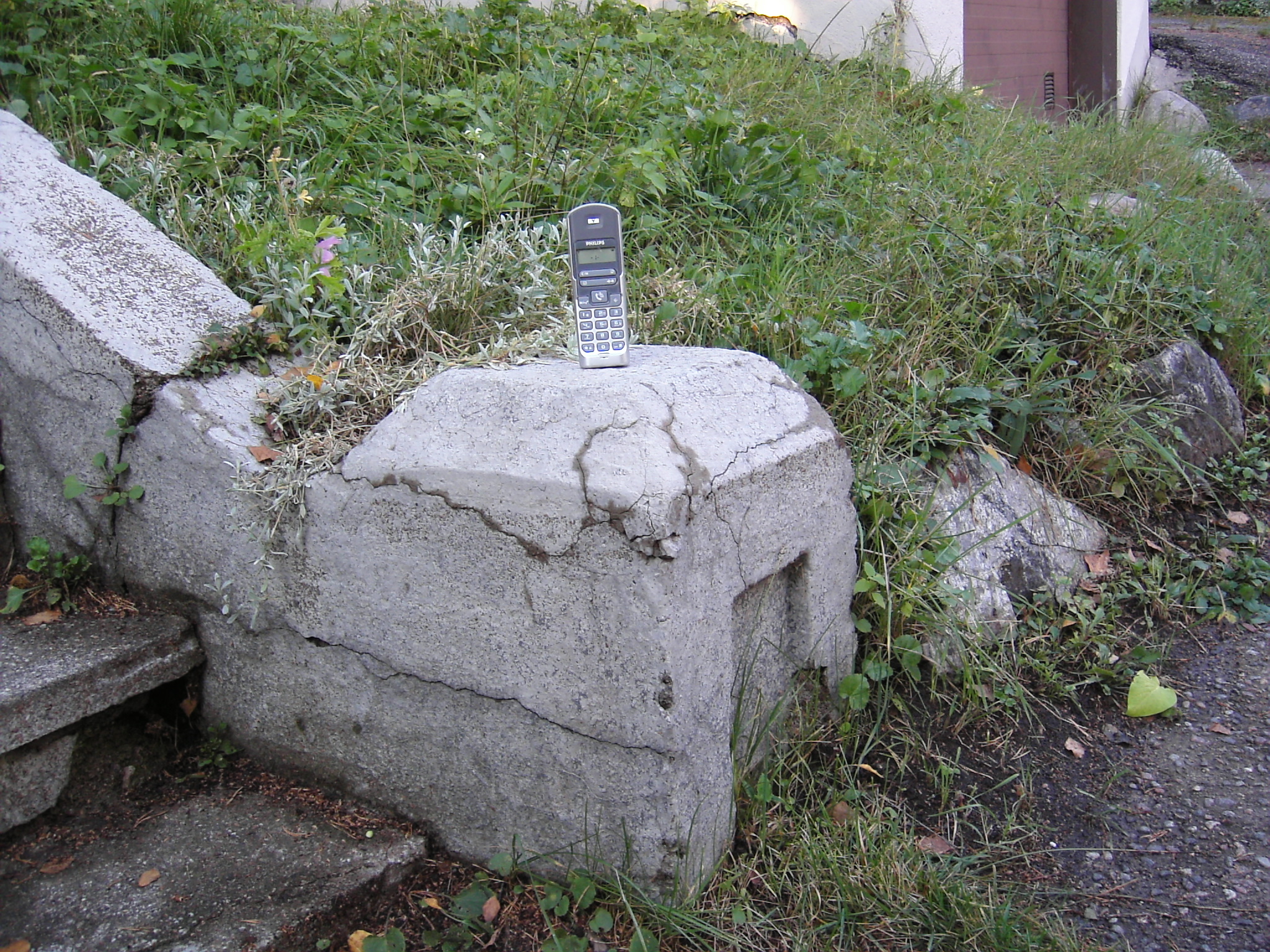
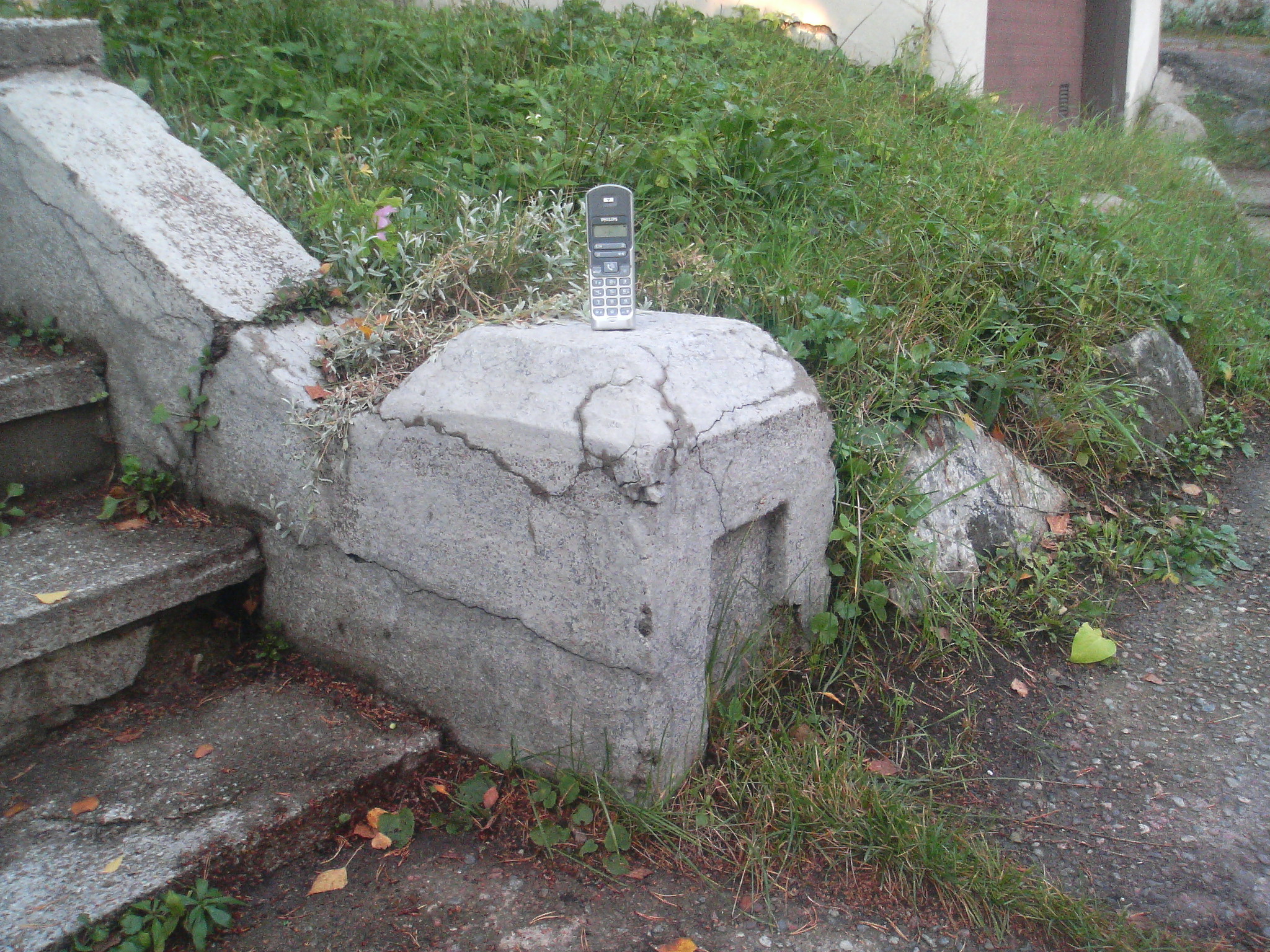
Considering that the Contax is getting rather long in the tooth, I would expect the images to be comparable. The difference may be more aggressive JPEG compression on the N93.
Shutter lag is very noticeable. The little LED flash is ineffectual.
Considering that the lens determines the camera’s size and overall ugliness, it’s difficult to justify owning this phone as long as the pics are as disappointing as the above.
Summary
The Nokia N93 is a big clumsy phone with a lot of features but which doesn’t live up to its promise as a premium imaging device. Redeeming features are the new operating system, web browser, and connectivity options, but these are also available in smaller phones from Nokia.